
2020-07-15
5359
原创
基于OpenCV的KNN算法实现手写数字识别项目
一、数据预处理
# 导入所需模块
import cv2
import numpy as np
import matplotlib.pyplot as plt
# 显示灰度图
def plt_show(img):
    plt.imshow(img,cmap='gray')
    plt.show()
# 加载数据集图片数据
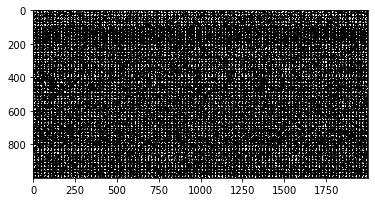
digits = cv2.imread('./image/digits.png',0)
print(digits.shape)
plt_show(digits)
(1000, 2000)
# 划分数据
cells = [np.hsplit(row,100) for row in np.vsplit(digits,50)]

len(cells)
50
# 转换为numpy数组
x = np.array(cells)
x.shape
(50, 100, 20, 20)
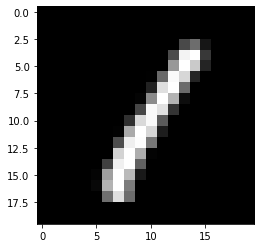
plt_show(x[5][0])
# 生成训练数据标签和测试数据标签
k = np.arange(10)
train_label = np.repeat(k,250)
test_label = train_label.copy()
# 图片数据转换为特征矩阵,划分训练数据集
train = x[:,:50].reshape(-1,400).astype(np.float32)
# 图片数据转换为特征矩阵,划分测试数据集
test = x[:,50:100].reshape(-1,400).astype(np.float32)
test.shape
(2500, 400)
二、knn算法预测
# 生成模型
knn = cv2.ml.KNearest_create()
# 训练数据
knn.train(train,cv2.ml.ROW_SAMPLE,train_label)
True
# 传入n值,和测试数据,返回结果
ret,result,neighbours,dist = knn.findNearest(test, 3)
# 统计正确的个数
res = 0
for i in range(2500):
    if result[i]==test_label[i]:
        res = res+1
res
2439
# 计算模型准确率
accuracy = res/result.size
print('识别测试数据的准确率为:',accuracy)
识别测试数据的准确率为: 0.9756
三、导入图片预测
# 在测试集中随便找一张图片
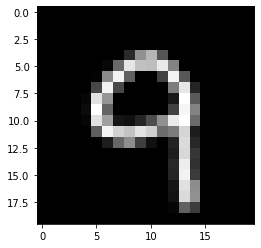
test_image = test[2400].reshape(20,20)
plt_show(test_image)
test_label[2400]
# 将图片转换为特征矩阵
testImage = test[2400].reshape(-1,400).astype(np.float32)
testImage.shape
(1, 400)
# 使用训练好的模型预测
ret,result,neighbours,dist = knn.findNearest(testImage, 3)
# 预测结果
print('识别出的数字为:',result[0][0])
识别出的数字为: 9.0
# 传入一张自己找的图片进行识别尺寸(20*20)
te = cv2.imread('test2.jpg',0)
plt_show(te)
te.shape
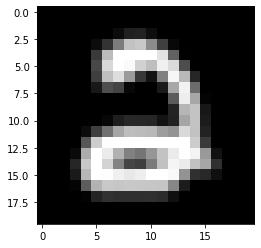
(20, 20)
testImage = te.reshape(-1,400).astype(np.float32)
testImage.shape
(1, 400)
ret,result,neighbours,dist = knn.findNearest(testImage, 3)
result
array([[2.]], dtype=float32)
print('识别出的数字为:',result[0][0])
识别出的数字为: 2.0
四、用自己写的一张图片预测
# 用所有数据作为训练数据
knn = cv2.ml.KNearest_create()
k = np.arange(10)
labels = np.repeat(k,500)
knn.train(x.reshape(-1,400).astype(np.float32),cv2.ml.ROW_SAMPLE,labels)
True
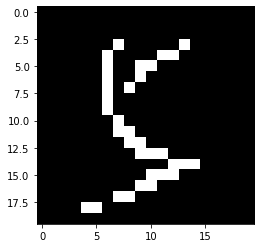
te = cv2.imread('test1.jpg',0)
plt_show(te)
te.shape
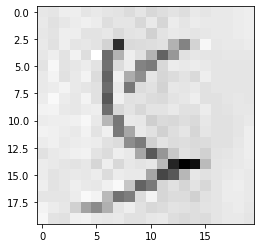
(20, 20)
# 自适应阈值处理
ret, image = cv2.threshold(te, 0, 255, cv2.THRESH_OTSU | cv2.THRESH_BINARY_INV)
plt_show(image)
# 将图片转换为特征矩阵
testImage = image.reshape(-1,400).astype(np.float32)
testImage.shape
(1, 400)
# 使用训练好的模型预测
ret,result,neighbours,dist = knn.findNearest(testImage, 3)
neighbours
array([[5., 5., 5.]], dtype=float32)
print('识别出的数字为:',result[0][0])
识别出的数字为: 5.0

- 作者:兵慌码乱(联系作者)
- 发表时间:2026-07-15 22:43
- 版权声明:兵慌码乱 版权所有,侵权必究
- 转载声明:禁止转载,文章发表于 www.bhml.com.cn
- 备注:文章如有疏漏,望请留言指出,如果对项目还有不清楚的地方,欢迎与我取得联系,欢迎交流学习!

留言互动